This is a very common scenario for companies or schools : A device is shared between multiple users. IT wants to manage the device but also the users’ data and their experience on the device.
Primary user
The primary user is the user associated to the device.

On AAD Joined devices, the primary user is the user which enrolls the device through OOBE.
On HAAD Joined devices, thr primary user is the user which logs on the device and triggers the enrollment GPO at logon.
Primary user association is an important notion to have in mind to handle the multi-user scenario. Indeed, only the primary user can proceed to self-service actions.
Manage users context
By design, any users of the company can open a Windows session. There is no configuration to deploy to allow users to log into .
When you create an Intune application, you can either select device or user context.
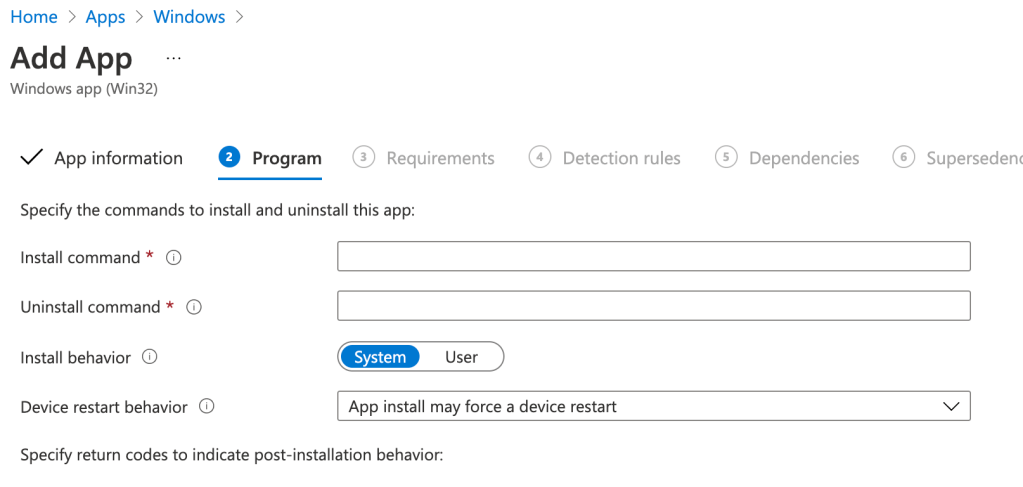
By selecting the device context, the application is installed for every users.
By selecting the user context, the application is installed only for the users targeted on the assignment part.
Regarding the configuration profiles, they’re (mostly) applied for every users which use the device. Just like you configure HKLM registry keys of a device, the settings are applied to every users which use the device.
All these actions doesn’t require any particular setup.
However, by design, only the primary user can use the company portal.
Here is a message for a non-primary user which tries to use the company portal :
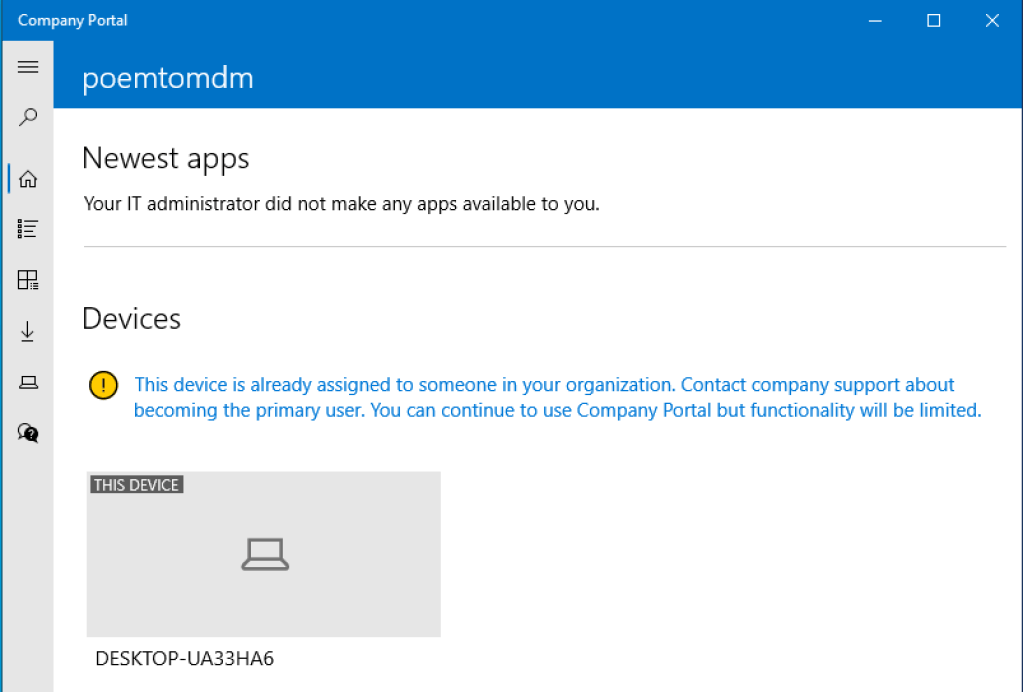
The message is pretty clear.
Give access to company portal to every user
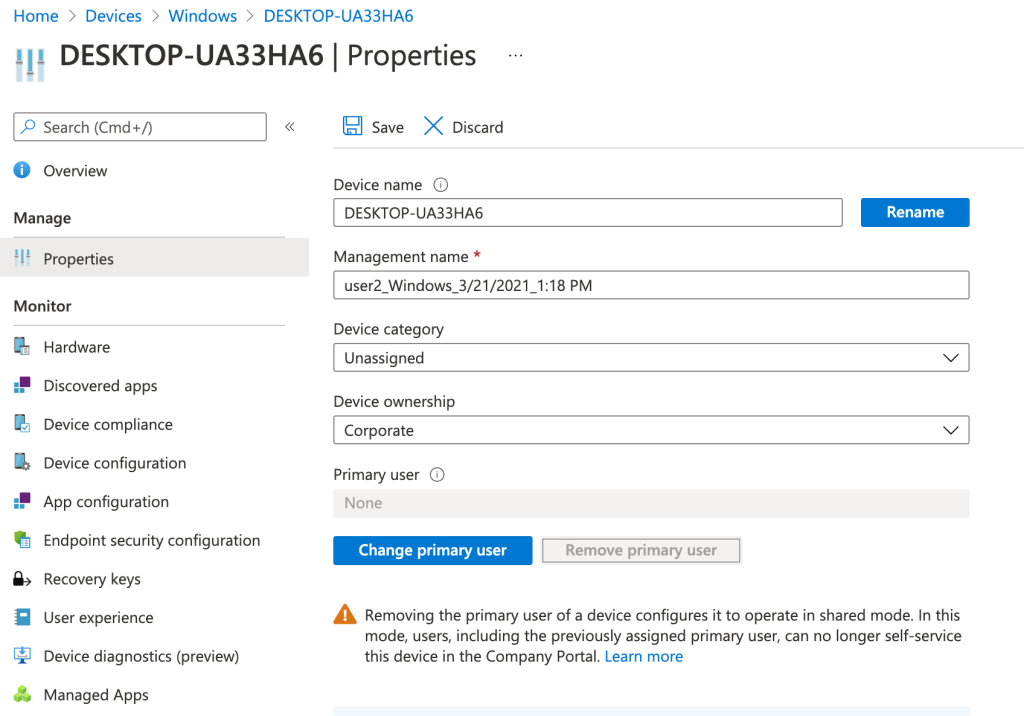
To do this, remove the primary user from the Intune console :
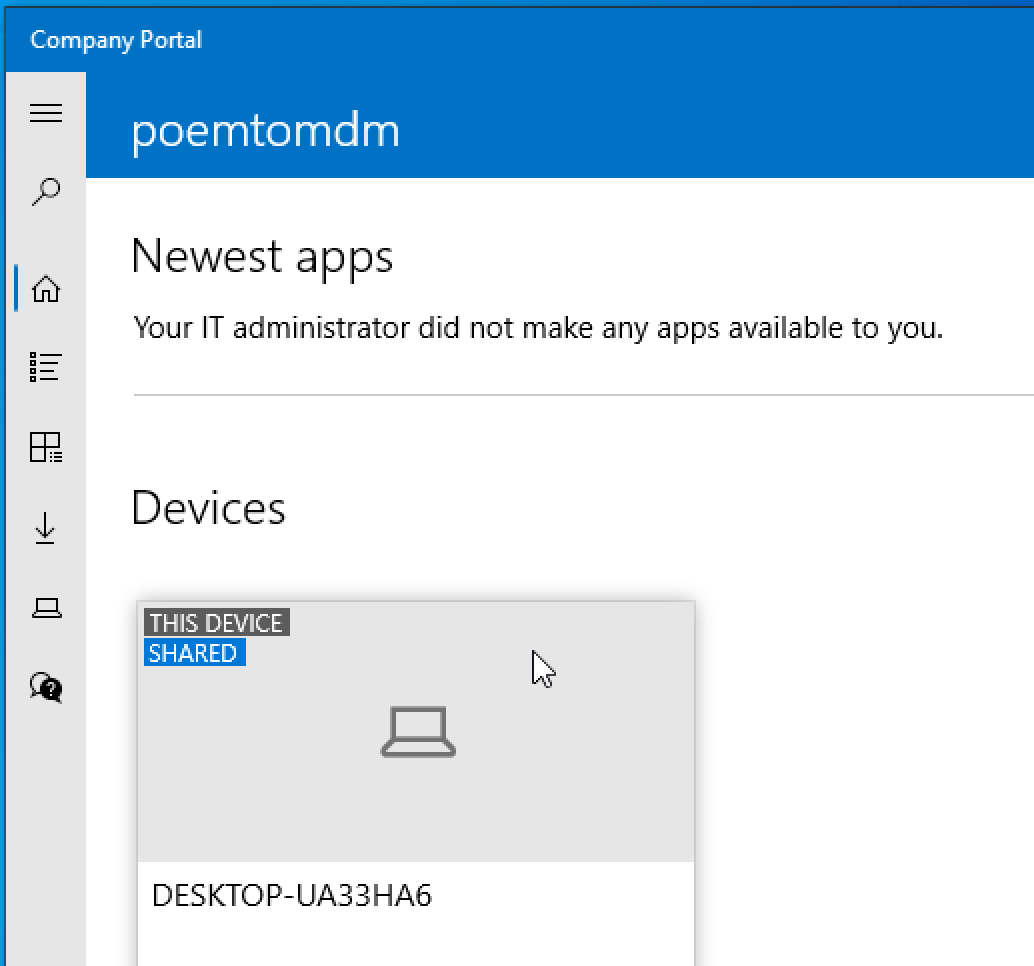
Log into the device with any user and open the company portal. You’ll see the device is tagged as a “Shared device” :

Now every end-users who use the device can proceed to self-service action trhough the company portal.
“Shared multi-users device” configuration profile
If you want to go further on the management of local profiles on every shared devices, there is a configuration profile to do so.
The possibilities are many (local storage, guest users, power management, and more)
Many enough to make Microsoft add, on the console, a link to the documentation :
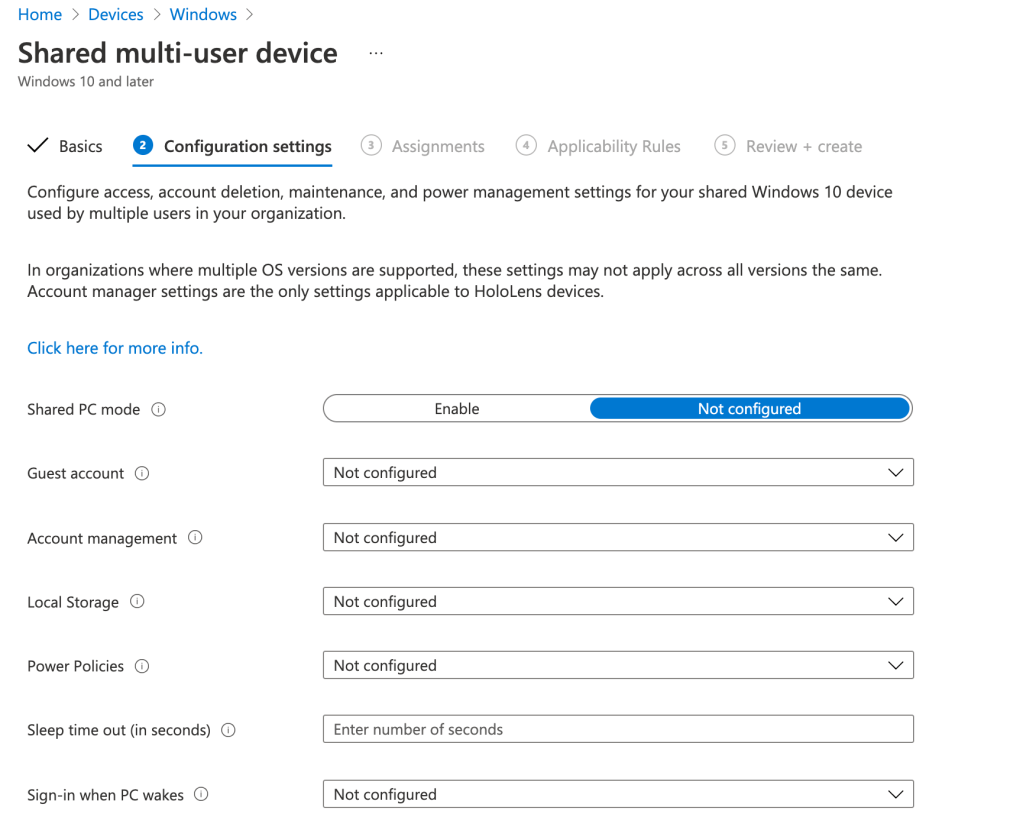
You can find details on all these configurations here.
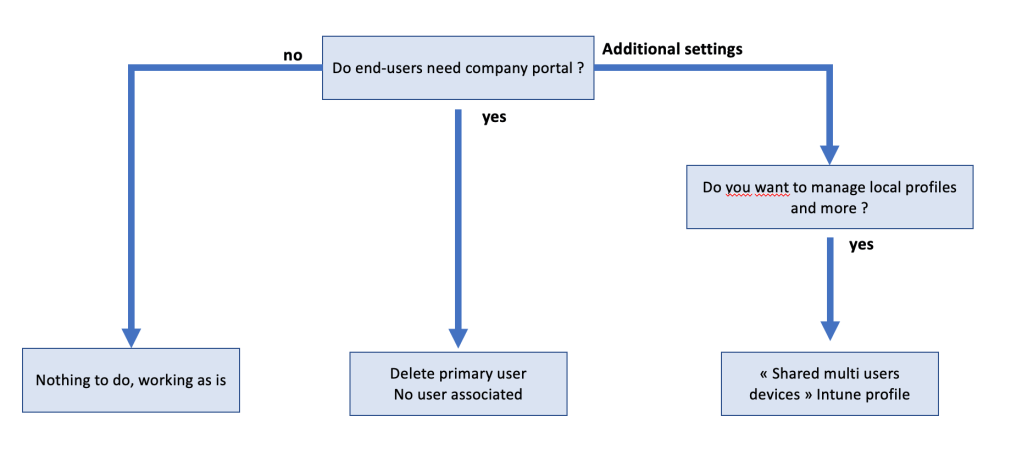
Sum-up the multi-user scenario
Questions regarding the multi-user scenario can be summurized as :
 Poem to MDM