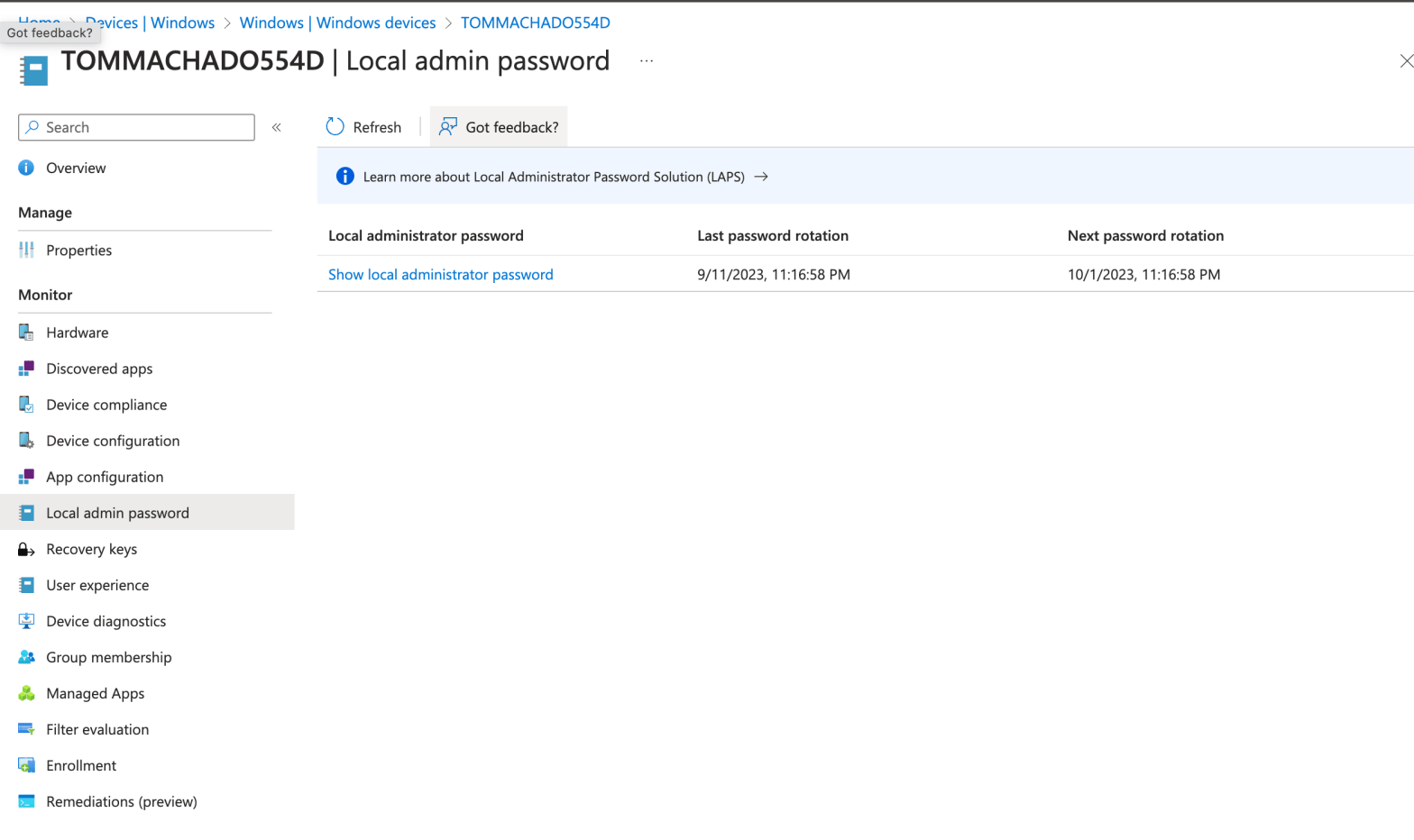
I’ve met this scenario with multiple customers in the past using the WindowsLAPS feature : How to manually initiate a local password rotation on multiple devices.
I’m wiritng this post also because i had discussions with IT guys looking for a scripting way to do it recently.
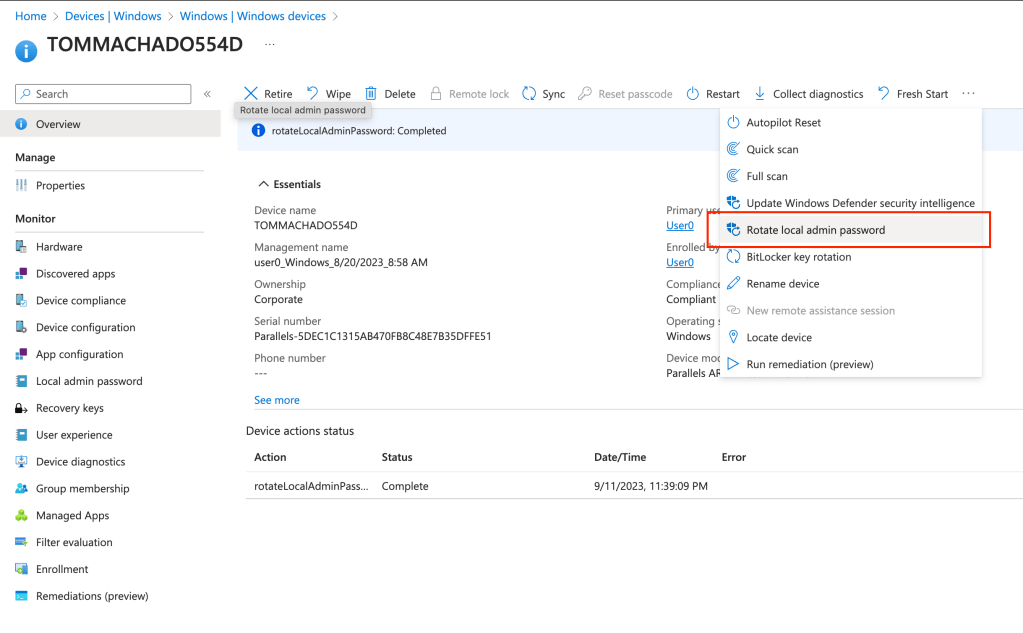
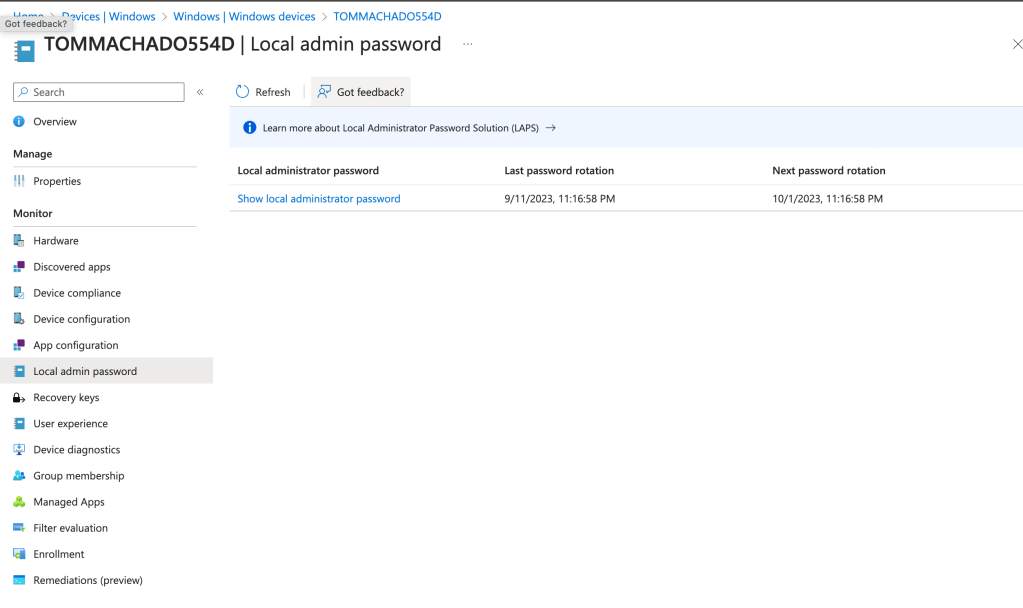
Goal : Initiate this rotation below but on multiple devices using powershell and graph api
Optional : Create your registered application
Ignore this step if you’re using an interactive authentication on graph without an app.
You might have one registered app already on Entra to initiate non-interactive actions in Intune leveraging Graph. I bet/hope you do 😉
Create an Azure registered application and secured it with a password or a certificate.
According to MS, you’ll need these permissions on Graph to rotate local password with WindowsLAPS :
DeviceManagementConfiguration.Read.All or
DeviceManagementManagedDevices.Read.All
Sure, why not. Though, you want this permission most of all : DeviceManagementManagedDevices.PrivilegedOperations.All
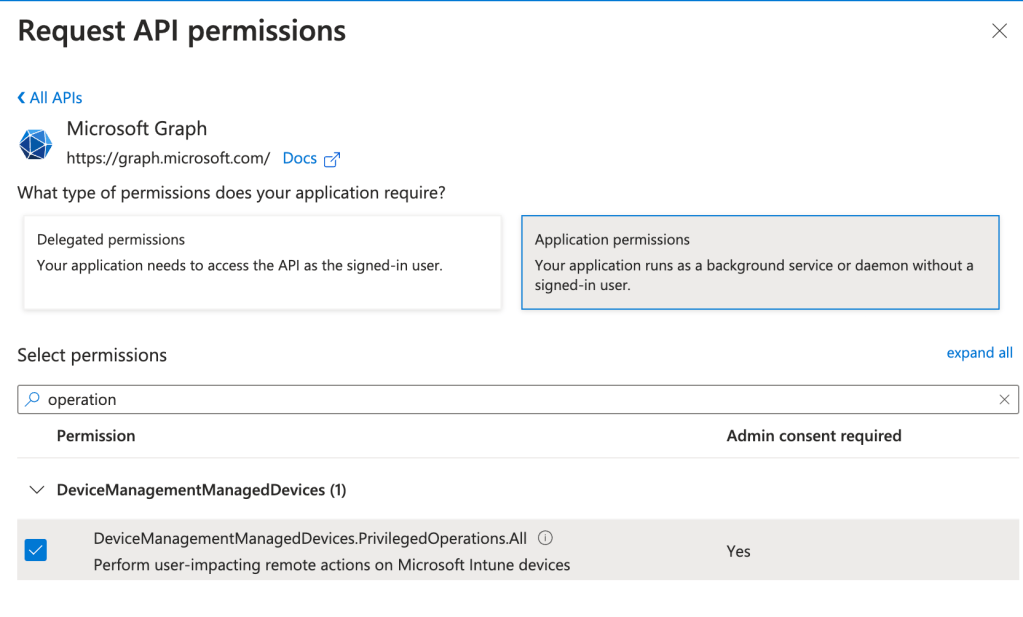
MS API document is being re-written, it’s evolving everyday 🙂
And these ones to get your devices from Entra Groups
Device.Read.All
GroupMember.Read.All
Get your Entra group members
You have gathered your devices in an EntraID Group. Now with powershell, let’s get every intune device ids.

Go on Entra and find your group id, store it in variable and authenticate on graph using either registered application or an interactive connection.
Now, you want to isolate the azuredeviceid, which is usefull to find another id later on in Intune. Get the azuredeviceid selecting :

For Each id in ids
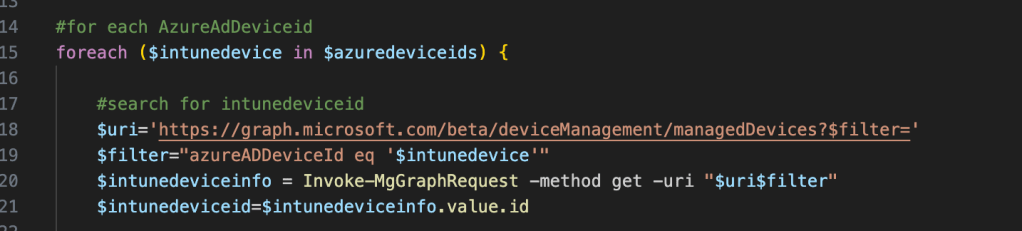
Here is the logic : For each azuredeviceid, get the intunedeviceid which you use to rotate local password and run a sync action
First, search for intunedeviceid by applying a filter on the azureaddeviceid previously got. Finally, you isolate the intunedeviceid, which is the “id” property coming from Intune this time :
Rotate local password action
Once you got the intunedeviceid, you can leverage this API to run a rotate action :

You have the confirmation on Intune portal UI that the remote action have been scheduled at next sync.

Sync action
You might want to speed up the sync process by running a sync action right after the rotate instruction. Leverage this other API :

Final script
You have now a script completed which :
– Get every members of a given Entra group
– Find intune device id from each member
– Initiate a local password rotation
– Run sync of each device
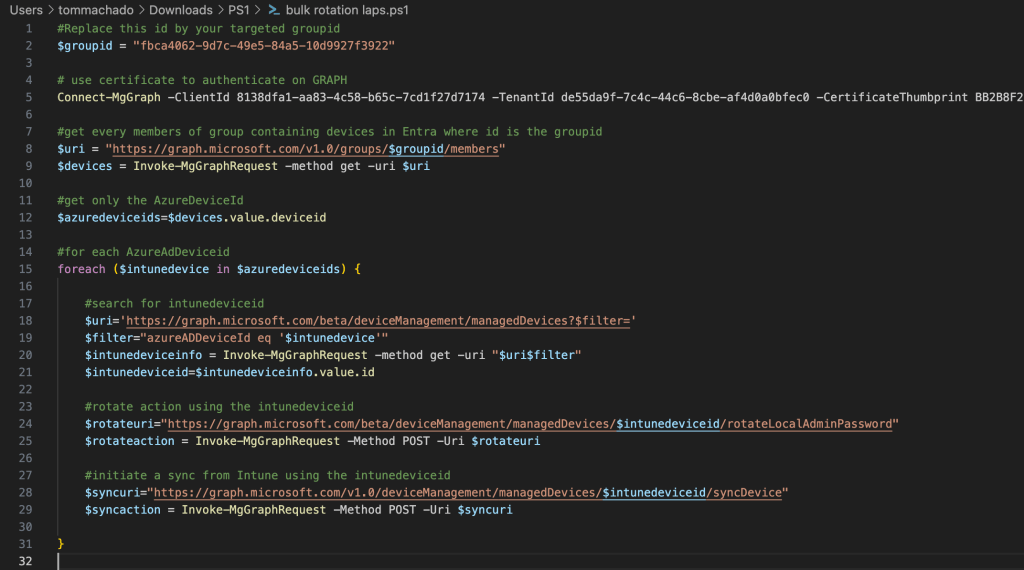
Enjoy your rotation ! Feel free to user tools such as Power Automate or Azure Devops Pipeline to automate your actions 🙂
Tips : You can monitor the rotation from Intune or local events logs !

 Poem to MDM