
Looking for customize Dock on managed macOS devices ?
It’s a request from multiple customers i worked with who aimed to highlight some business applications, folders shortcuts, Microsoft applications, etc in the Dock.
Want to do it Microsoft Intune ? Right place !
Persistent or Static
First thing before creating the profile, let’s understand the difference between a persistent and a static item (application, folder, url).
A persistent item can be removed from the Dock by the user. A static item cannot. That’s it. There are items that you don’t want to be removed by the user, like corporate url for example.
Moreover, there are two main parts in the Dock. “Applications” and “Others”. The two categories are seperated by the “Pipe” :

At the left you have Applications. On the right you have Documents (others).
Let’s focus on the configuration profile now.
How to build the configuration profile
Personally, i leverage Dock Master, which is a tool developped by Michael Page (shoutout to him !). This tool helps you to build your .mobileconfig file.
Web version is super intuitive. You can also grab the command line version from github here.
Up to you ! Pick the application you want to deploy in your corporate Dock. You will need apps full path.
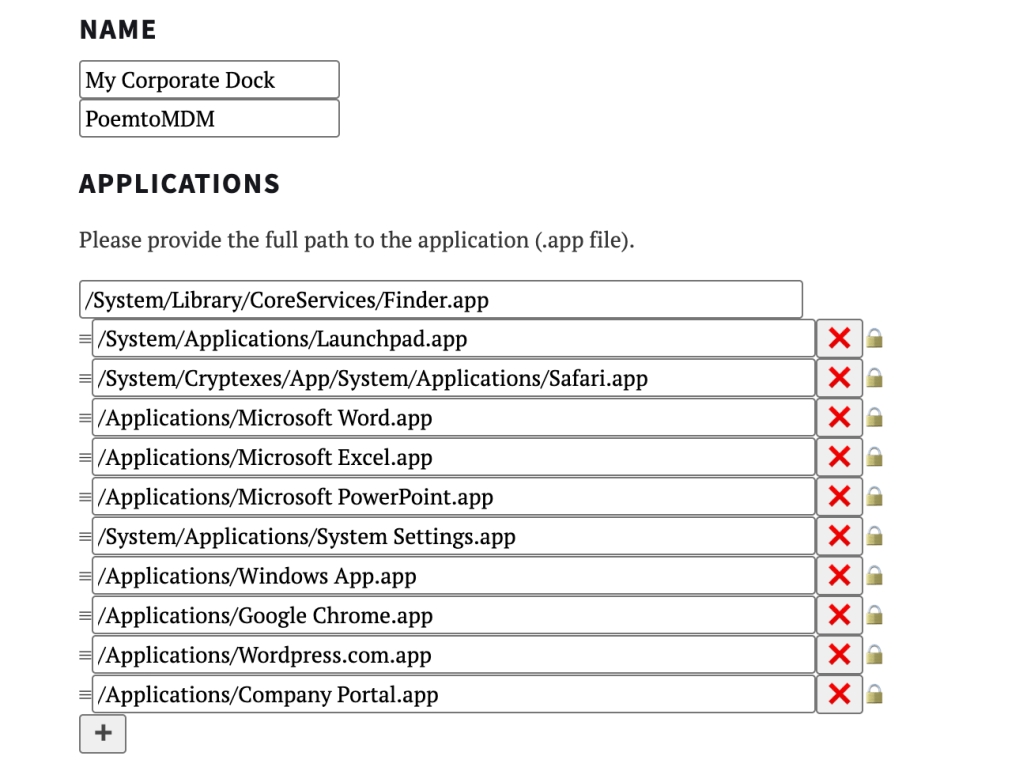
Note : Mind the System Settings.app, you’ll need to edit the name of the app has it’s a bit different in latest major updates.
Now applications are done, let’s focus on Others category. Pick any website, corporate urls, portals, share files, etc

Finally, it’s time to configure the behavior of your Dock.
Do you allow your users to edit the dock ? Do you want want to override the existing Docks when .mobileconfig will apply ? Position, auto-hide, profile scope etc
Personally, i do recommend merging as it’s a corporate dock and you want the same experience for every users most of the time.
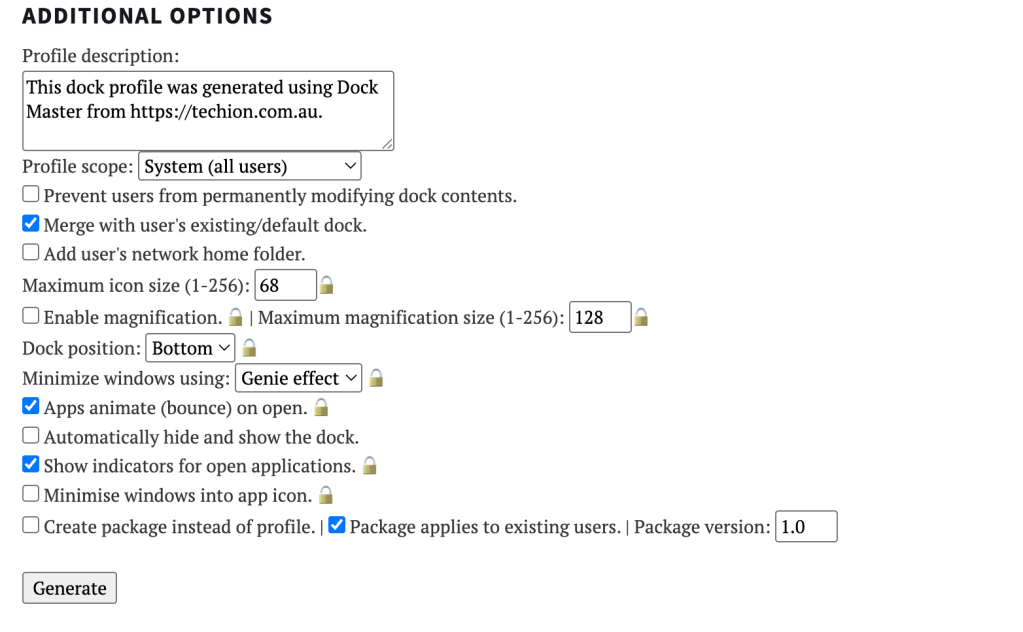
Click on Generate, it will download a .mobileconfig file.
Just out of curiosity, let’s open it using your code editor. You’ll observe static apps and static others list.
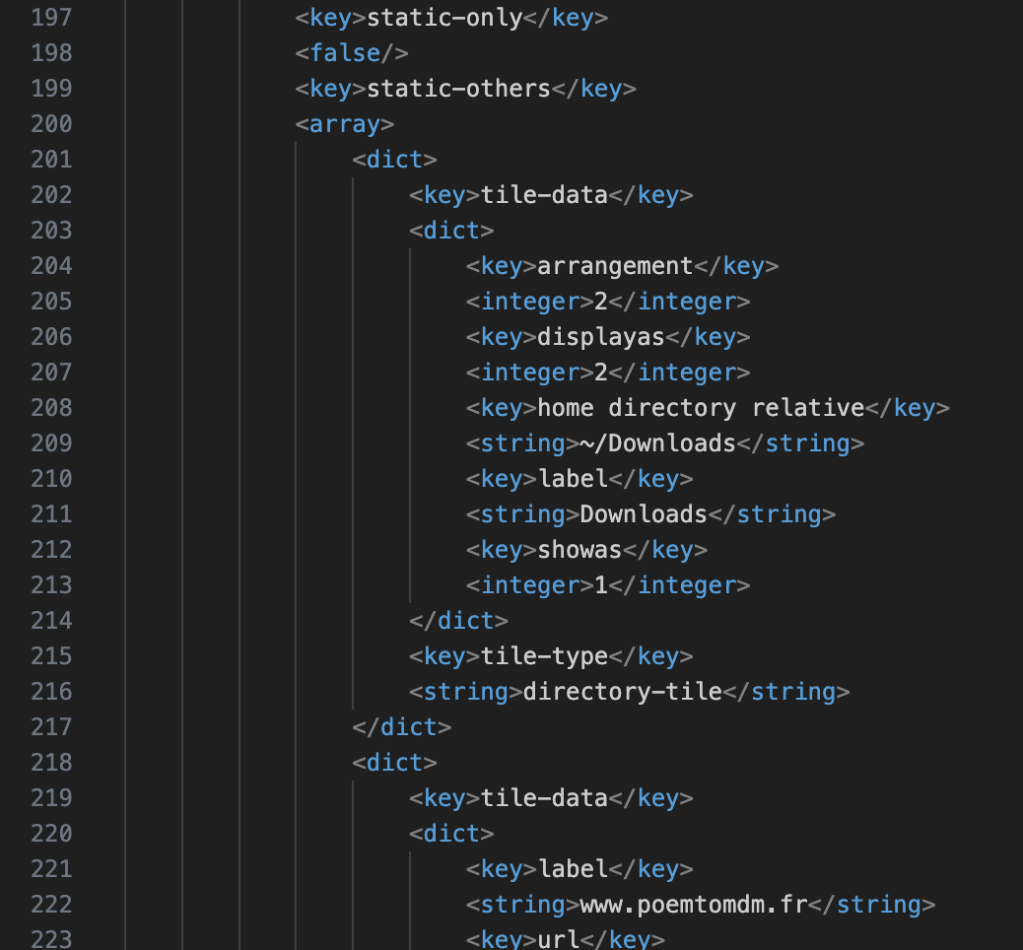
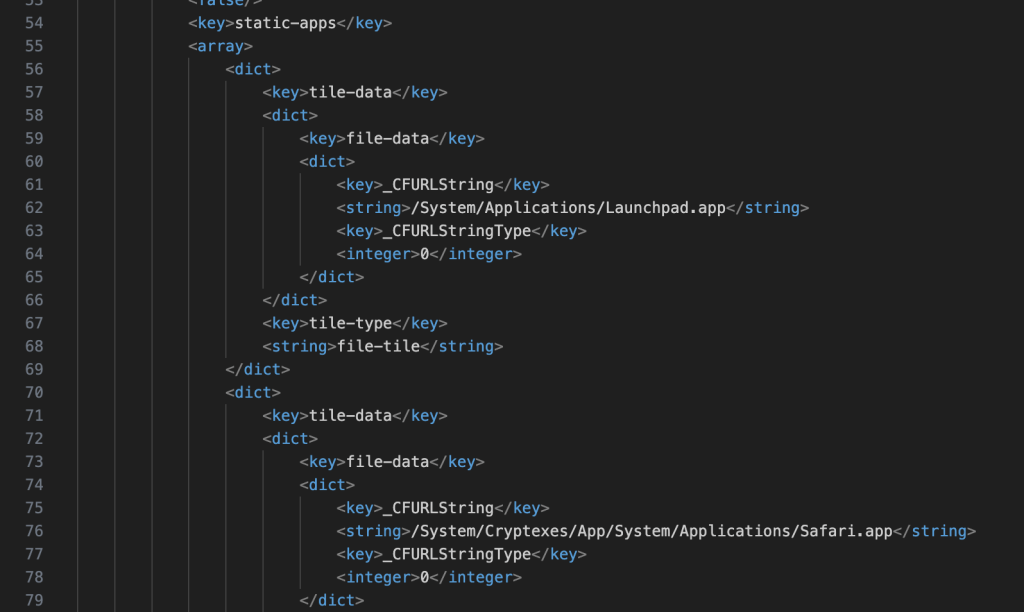
When you will need to edit your corporate Dock in the future, feel free to edit directly the .mobileconfig and deploy it afterwards.
Intune profile
Open Intune console. Open macOS > Configuration Profile > Templates > Custom and pick your .mobileconfig file :
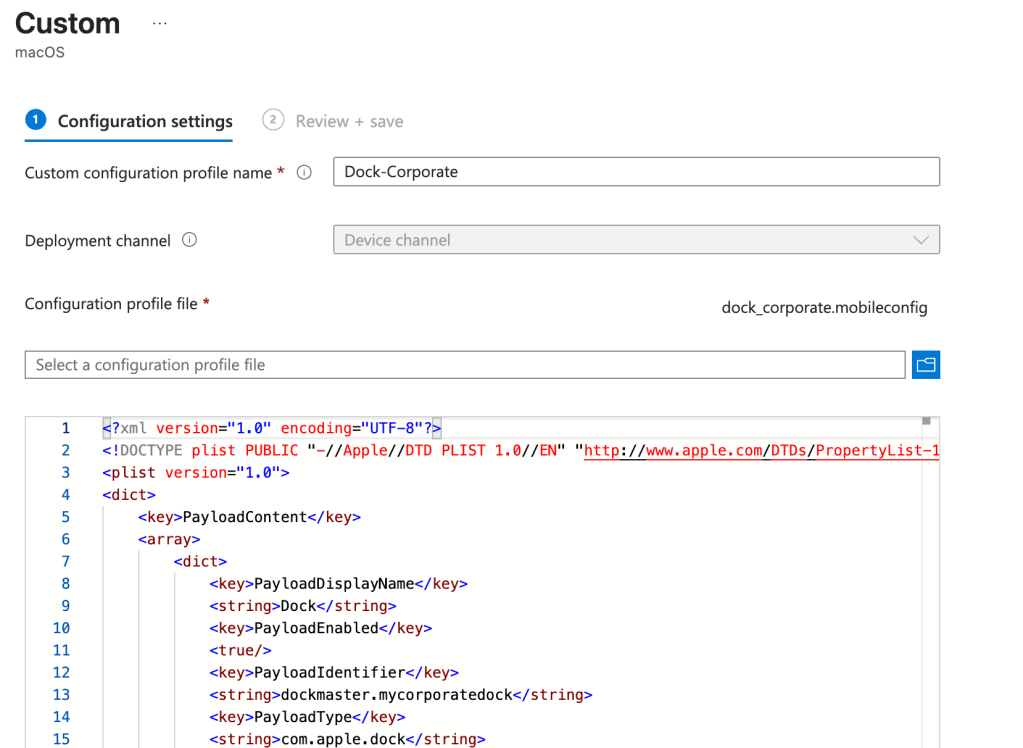
Assign the profile to device group or user group.
Enduser experience
Experience really depends on the desired behavior of your Dock.

My personnal recommendation is to to deploy a corporate Dock with items users cannot edit but let users to add their own. I think it’s a good balance between highlighting corporate stuff and let users make the Dock their own.
Credits to Michael Page for this super intuitive way to build a .mobileconfig file.
Sharing is caring !
 Poem to MDM