It’s a request i got often from multiple customers : “I do not want users to be able to open this menu, just remove it from the settings menu”.
Sure ! Consider it done.
Know your ennemy
How these menus are named ?
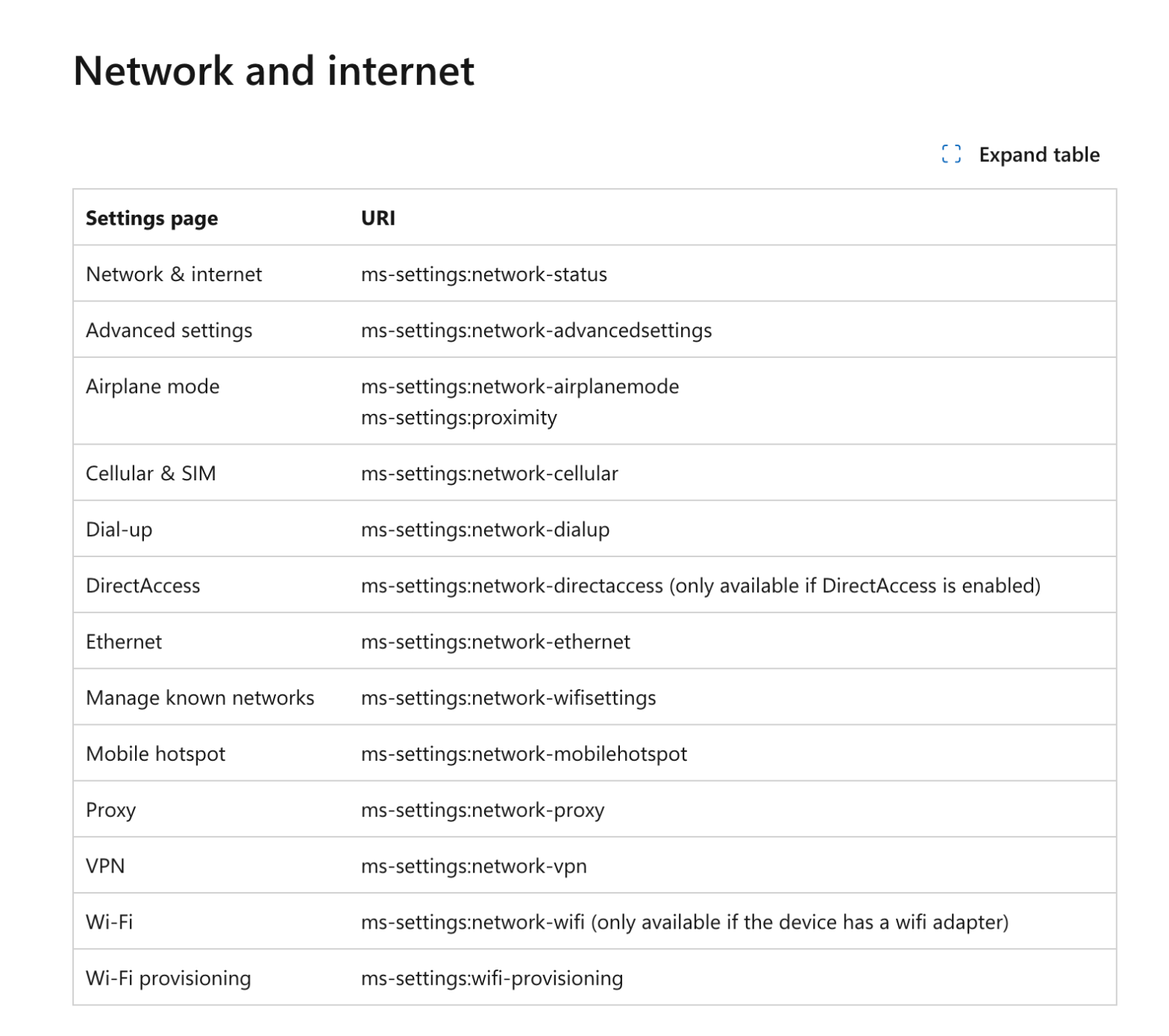
Microsoft did a great job by listing all the menu little names. You can find all of them here.
You are able to hide either the parent menu or sub-menus.
Let’s take Network & Internet :
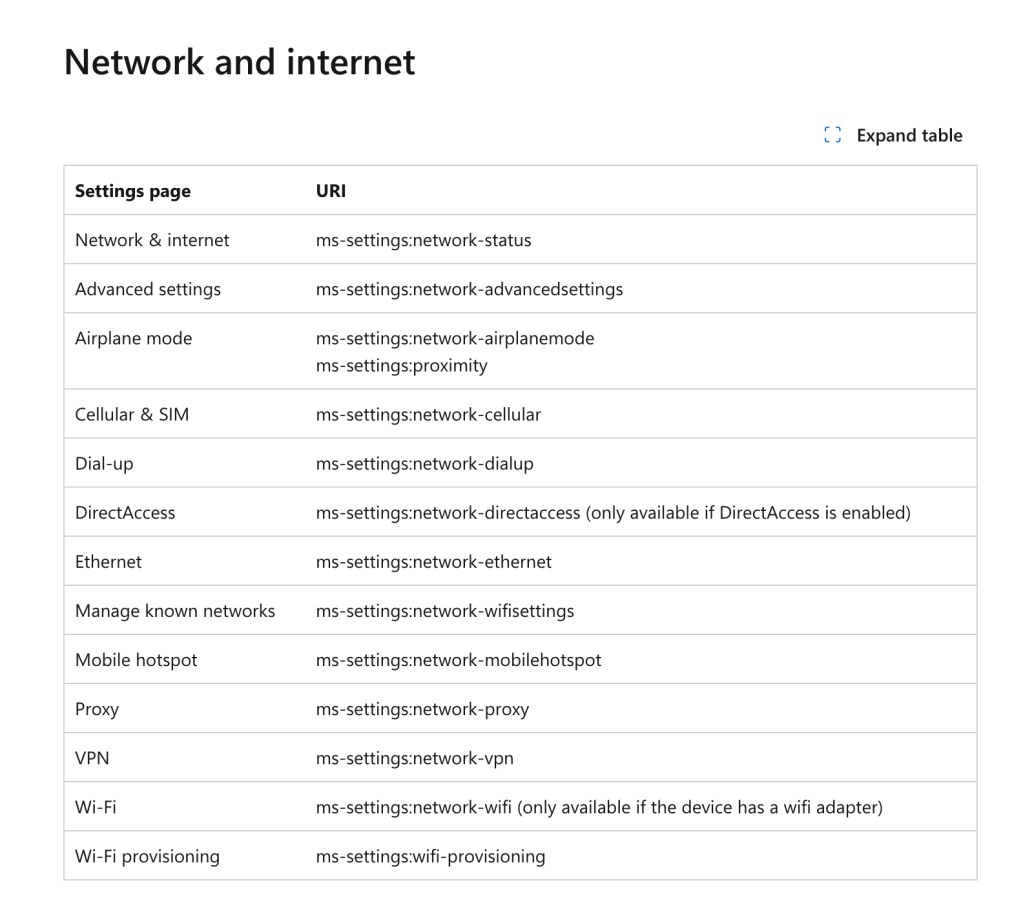
It’s up to you to decide what you want to display or hide. Either you decide to hide the entire “Network & Internet” blade or you can display sub-menus “Airplane mode” or “Ethernet” only.
Know your allies
Microsoft Intune ! Who else ?
Create a new Windows configuration profile and pick Settings catalog. Then search for ” Page Visibility List (User)” .
The setting expects a very specific format.
You have now a choice. Do you prefer to hide specific menus or to display only specific menus.
Here is my example to only display “Network & Internet > “Proxy” + “Windows Updates” + “Sound” + “Apps” :
showonly:network-proxy;sound;windowsupdate;appsfeatures
In the contrary, if you prefer to hide only these menus, you can chose this syntax instead :
hide:network-proxy;sound;windowsupdate;appsfeatures
Let’s chose “showonly” :
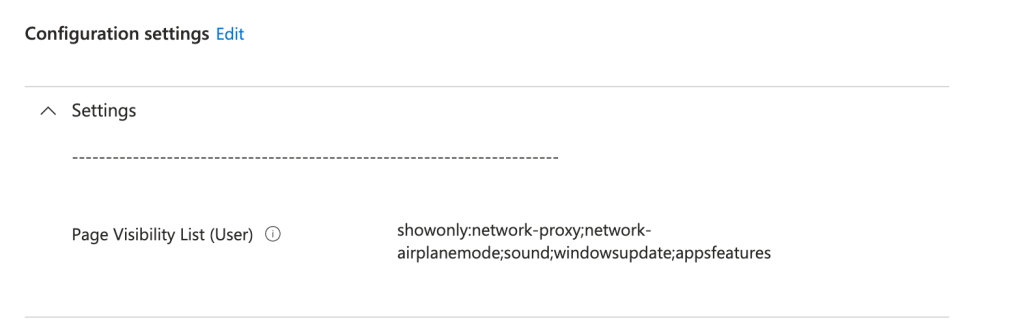
Now, deploy. Let’s have a look on the OS :
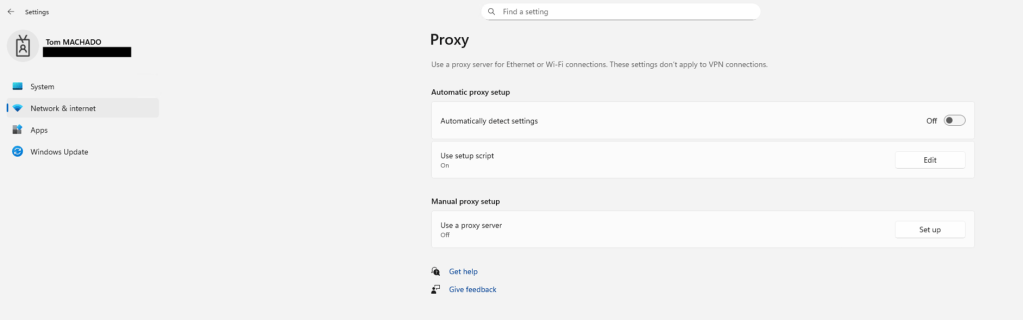
Et voilà !
 Poem to MDM