Working with a customer recently, I’ve experienced a behavior that has impacted multiple iOS/iPadOS and macOS devices.
The Bad
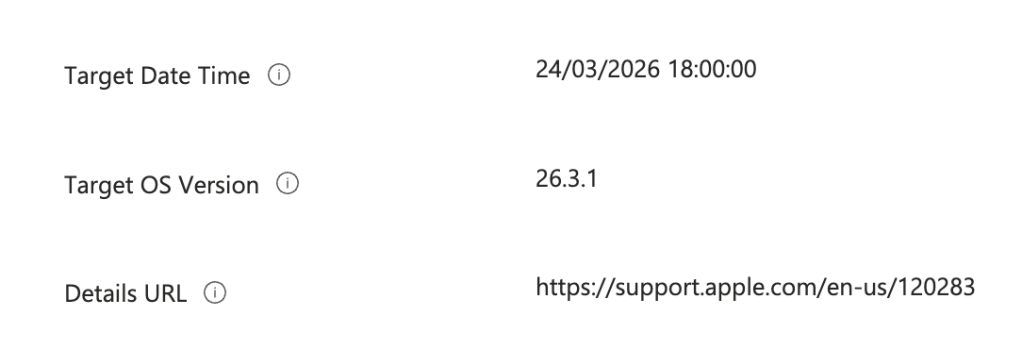
Apple released a software update and it was offered to all devices the first day of the release despite the DDM policies not targetting that build version.
In addition i used to leverage the legacy policy which hides the software update for some days.
The Good
So let’s start with macOS.
The DDM policy was targetting 26.3.1. However, 26.4 was offered to all devices. So that means targetting a specific version is not enough to not offer the update. I’ve tried to disable the “Notifications” toogle in the DDM policy but that did not change anything.
Then let’s search for a delay option in the Settings Catalog. Previously i’ve leveraged the following : Enforced Software Update Minor OS Deferred Install Delay (Deprecated)
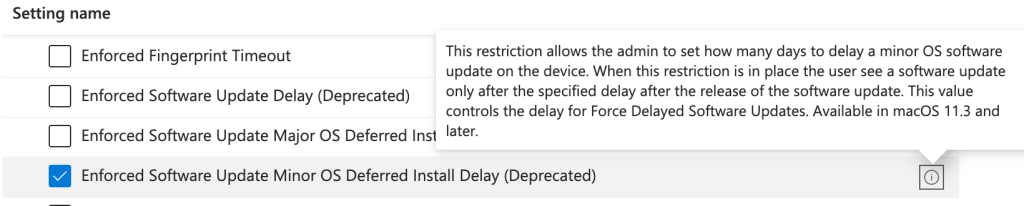
Microsoft and Apple decomissioned the legacy policy. This one for macOS does not do ANYTHING anymore.
To hide an update for X days for macOS devices, you need to leverage the following policy : “Minor Period in Days” (or “Major Period in Days“)
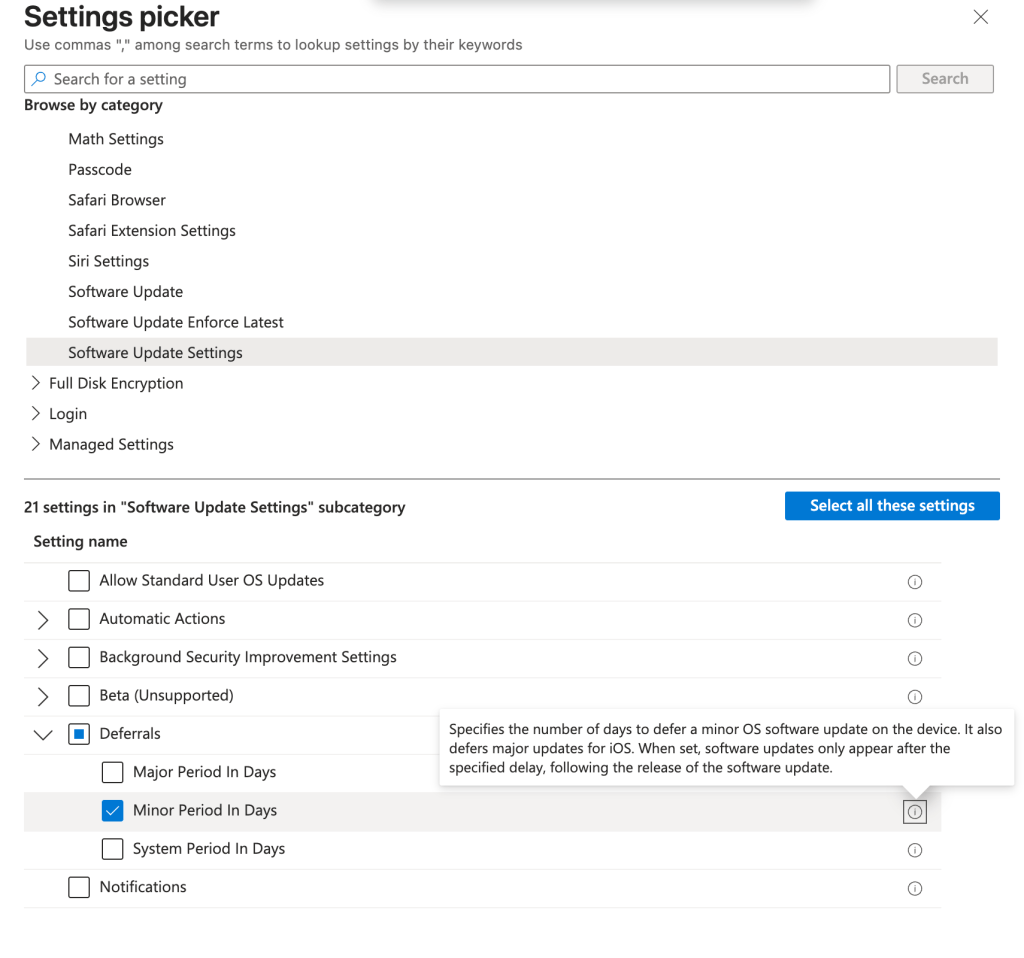
Note that for macOS you can set a different amount of days for major and minor updates.
For iOS/iPadOS, i used to leverage the following legacy setting, which is also now deprecated and doing abolutely NOTHING anymore. It’s located in the Device restrictions category :
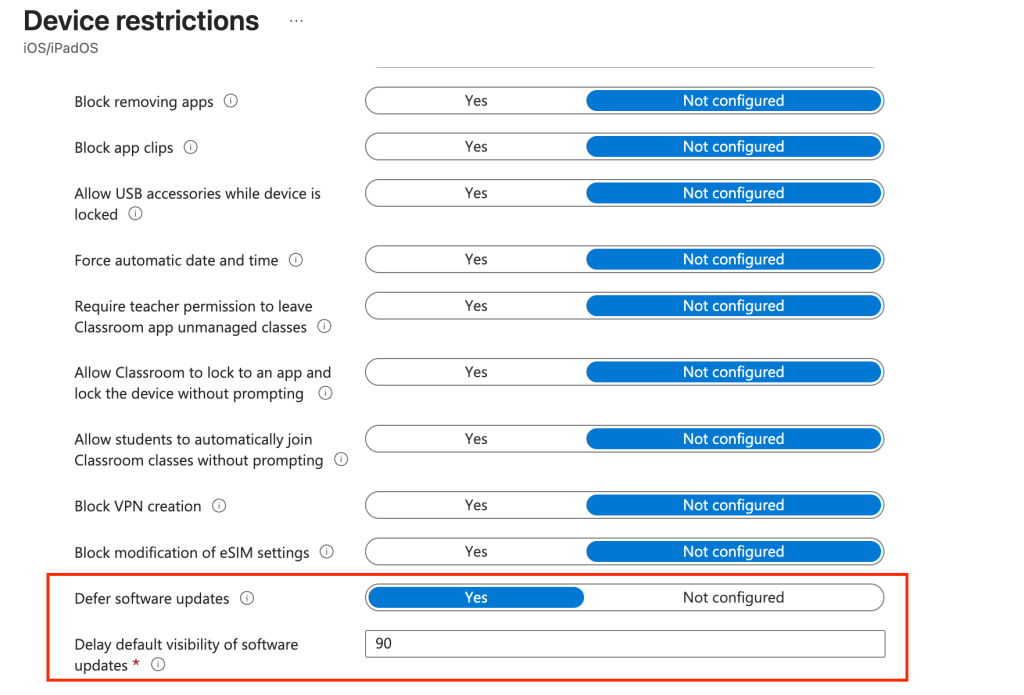
Note that the other delay legacy policies in the Settings catalog are also deprecated :

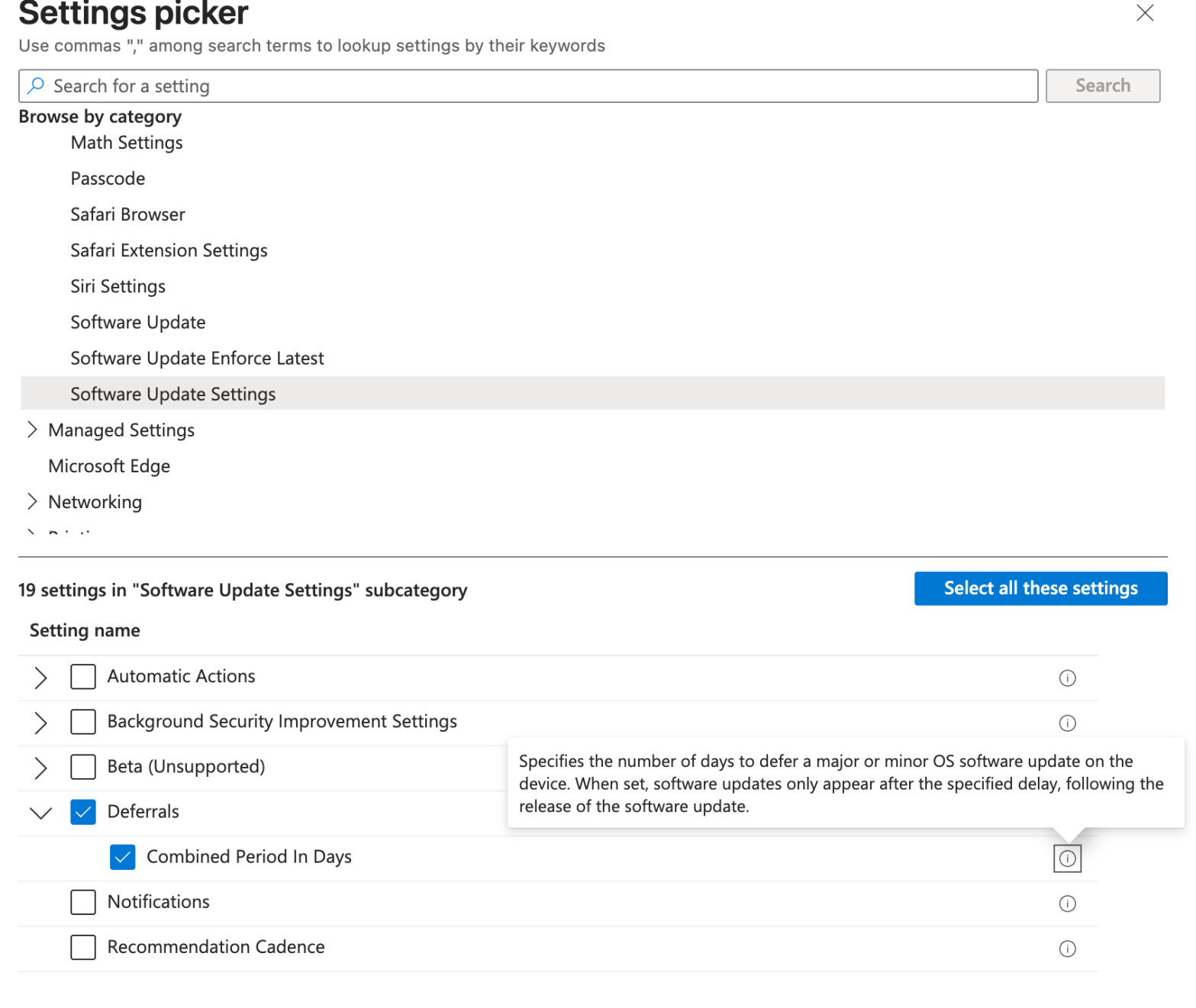
So what setting should you use for iOS/iPadOS ?
Settings Catalog > DDM > Sowftare Update Setting > Deferrals > Combined Period in Days
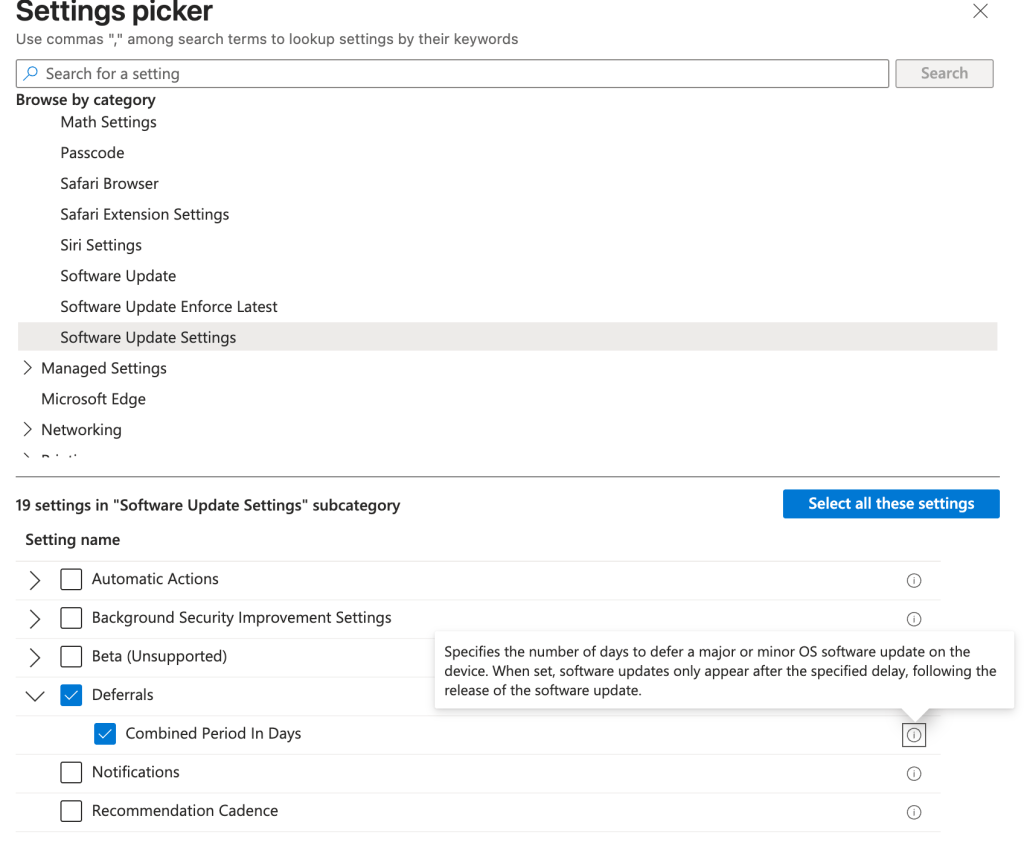
Note that for iOS/iPadOS you cannot set a different amount of days for minor and major. It is the same value for both. You might want to edit that value once a major is released.
The Ugly
A DDM deployment policy combined with one of these delay works if you target a specific DDM policy.
However, and that’s unfortunate, for both iOS/iPadOS and macOS, if you target the “Latest Update”, it overrides the delay. This is what i’ve experienced. This policy does not care about the delay :
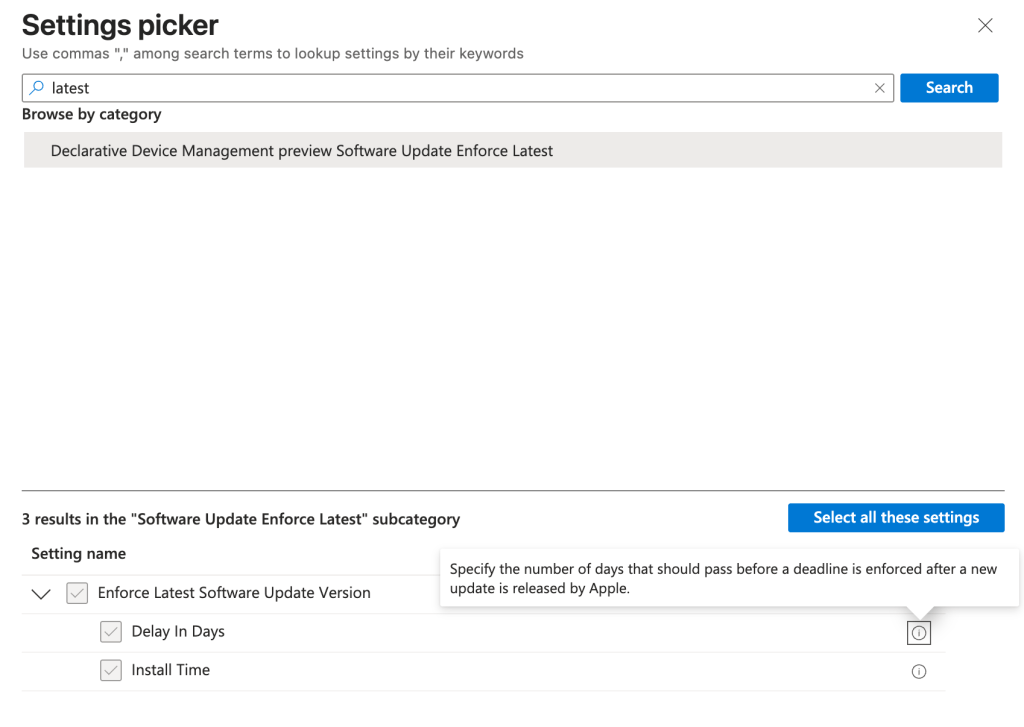
Note : There is a “Delay in days” in this category but it’s nothing related to the “hide” effect you’re trying to set.
To Sum-Up
macOS : “Minor Period in Days” or “Major Period in Days“. You can set different values for both
iOS/iPadOS : “Combined Period in Days“. The value is set for both Minor and Major updates.
For both, don’t target the “latest” version for now. That may be fixed in a future Intune release or OS release. If you need to hide the update, you need to edit your DDM policies targetting a specific version everytime Apple releases an OS update.
 Poem to MDM